
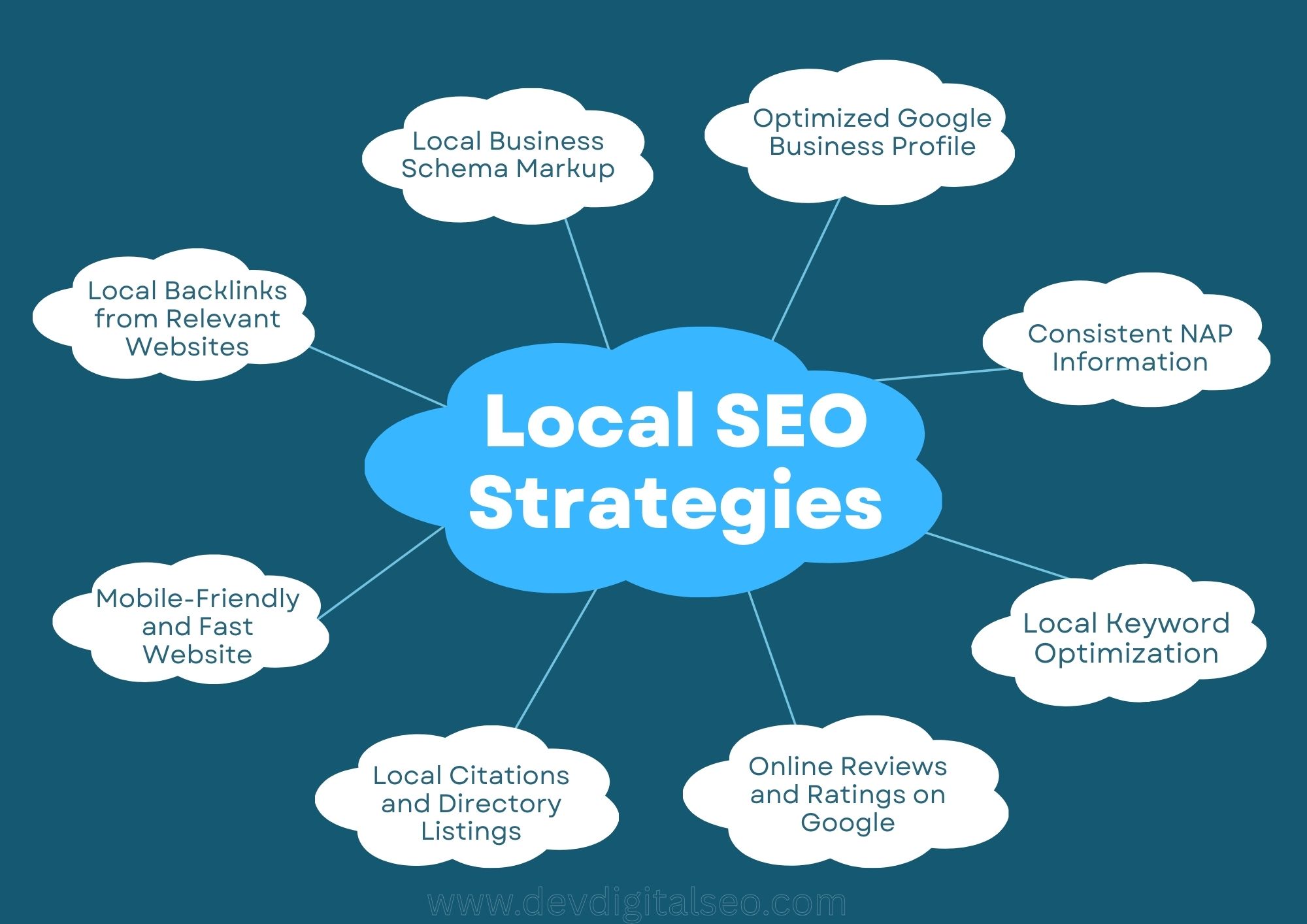
Common Local SEO Mistakes Small Businesses Make
Local SEO is a powerful tool that helps small businesses get better results from their online marketing. No matter if you own a bakery, dental office, coaching center, or marketing agency, people are constantly searching for nearby services. If your business is missing from local search listings, you are losing customers to competitors.
Unfortunately, many owners make critical Local SEO Mistakes without even realizing it, which affects their Google rankings. In this article, we highlighted the most common Local SEO Mistakes and shared practical ways to fix them to boost your traffic, leads, and online presence.
1. Ignoring Google Business Profile Best Practices
Failing to manage and optimize a Google Business Profile properly is one of the major Local SEO Mistakes small businesses commit. Either the profile remains unclaimed or it is only partially completed, limiting its effectiveness.
- Exact business name
- Accurate contact information (address and phone)
- Updated working hours
- High-resolution images
- Proper category selection
- Well-written service details
One of the worst Local SEO mistakes is having an inadequate or out-of-date profile. This is because Google uses this information a lot to rank your business locally.
2. Incorrect or Inconsistent NAP Information
In local SEO, NAP means Name, Address, and Phone number. One of the serious Local SEO Mistakes businesses make is publishing mismatched NAP details across websites, directories, and social media accounts.
For instance, if your business address is written differently in multiple places, Google may not trust the information fully. This inconsistency weakens your authority and affects rankings.
To fix this Local SEO Mistakes problem, maintain identical business details on every platform.
3. Weak Local Keyword Strategy
Small businesses often target generic keywords while overlooking geo-targeted phrases. This oversight is among the frequent Local SEO Mistakes that prevent them from ranking in local results.
For instance:
- Instead of “digital marketing services,” say “digital marketing services in Southampton.”
- Use “SEO agency in Mumbai” instead of “SEO agency.”
One of the most important Local SEO Mistakes that keeps your website from showing up in local searches is not incorporating city, area, or region names in your content.
4. Skipping Local Landing Pages
If you service more than one area, you need separate landing pages for each one. Making only one generic service page is one of the major Local SEO Mistakes that keeps you from growing.
For instance:
- /seo-services-london
- /seo-services-manchester
- /seo-services-birmingham
If you don’t have pages for each city, you’re making local SEO Mistakes that make it less likely that you’ll rank well in other locations.
5. Neglecting Customer Feedback
Reviews on the internet are very important for local rankings. Not asking clients to submit reviews is one of the worst things you can do for Local SEO.
Google thinks about:
Look at the number of reviews:
- Review quantity
- Review quality
- Review frequency
- Owner responses
One of the worst things you can do for your local SEO is to ignore reviews, especially if your competitors are actively collecting and responding to them.
Always ask pleased customers for evaluations and reply professionally to both good and bad feedback.
6. Ignoring Mobile-Friendly Design
Most searches for things in your area are done on mobile devices. You are making big Local SEO mistakes if your website is slow or not mobile-friendly.
Your website needs to:
- Load in less than three seconds
- Be able to respond on all devices
- Make it easy to get around
- Add buttons that let people call you
One of the most prevalent Local SEO Mistakes that turns away potential clients is a bad mobile experience.
7. Poor Local Content Strategy
Publishing general blog posts without a local angle is another example of Local SEO Mistakes.
- Instead of saying “Advantages of Hiring an SEO Agency,”
- “Why SEO Services Are Important for Small Businesses in Southampton”
Localized content helps you avoid Local SEO Mistakes that come from getting traffic that isn’t appropriate to your area.
8. Weak Local Citation Strategy
Local citations are when your business is listed on directories and listing sites. One of the most common Local SEO mistakes small businesses make is not building citations.
You should put your business on:
Directories in your area
- Directories for specific industries
- Websites for Chambers of Commerce
- Listing sites you can trust
If you don’t use citations, you’re making the same Local SEO Mistakes that hurt your local authority.
9. Weak Local Backlink Profiles
Getting links from local websites makes you look more trustworthy. A lot of firms just pay attention to general backlinks, which is one of the most common Local SEO mistakes.
Get links from:
- Local blogs
- Websites for local news
- Groups in the community
- Pages for sponsoring events
Not creating links in your area is one of the Local SEO Mistakes that might slow down your development and keep you from growing.
10. Failing to Use Structured Data
Schema markup makes it easier for search engines to grasp information about your business. One of the technical Local SEO Mistakes is not paying attention to structured data.
Adding local business schema can make things better:
- Search visibility
- Rich snippets
- Rates of click-through
This is one of the quiet but important Local SEO Mistakes that many small businesses make.
11. Confusing Site Navigation
You are making structural Local SEO mistakes if your website is hard to use or doesn’t have clear service pages.
Ensure:
- Clear service groups
- Simple to use
- Linking correctly throughout the site
- Optimized meta descriptions and title tags
A disorganized website structure is one of the Local SEO Mistakes that may be avoided and that hurts both users and rankings.
12. Ignoring Local SEO Analytics
Another big problem with Local SEO is not keeping track of results. You can’t get better if you don’t keep an eye on performance.
Use tools like these:
- Google Analytics
- Google Search Console
Tracking helps you find and repair Local SEO mistakes before they do damage that lasts a long time.
Conclusion: Local SEO Mistake
Local SEO has the power to reshape a small business by boosting discoverability, leads, and revenue, yet ignoring even one Local SEO Mistake can limit results, especially when problems such as incomplete Google Business Profile optimization, inconsistent NAP information, weak mobile usability, poor content strategy, or lack of backlinks exist; by identifying and correcting every Local SEO Mistake step by step, you improve rankings, enhance credibility, and create sustainable business growth.