CategoriesSEO UI/UX Design Web Development

Top E-commerce SEO Mistakes Beginners Can’t Ignore

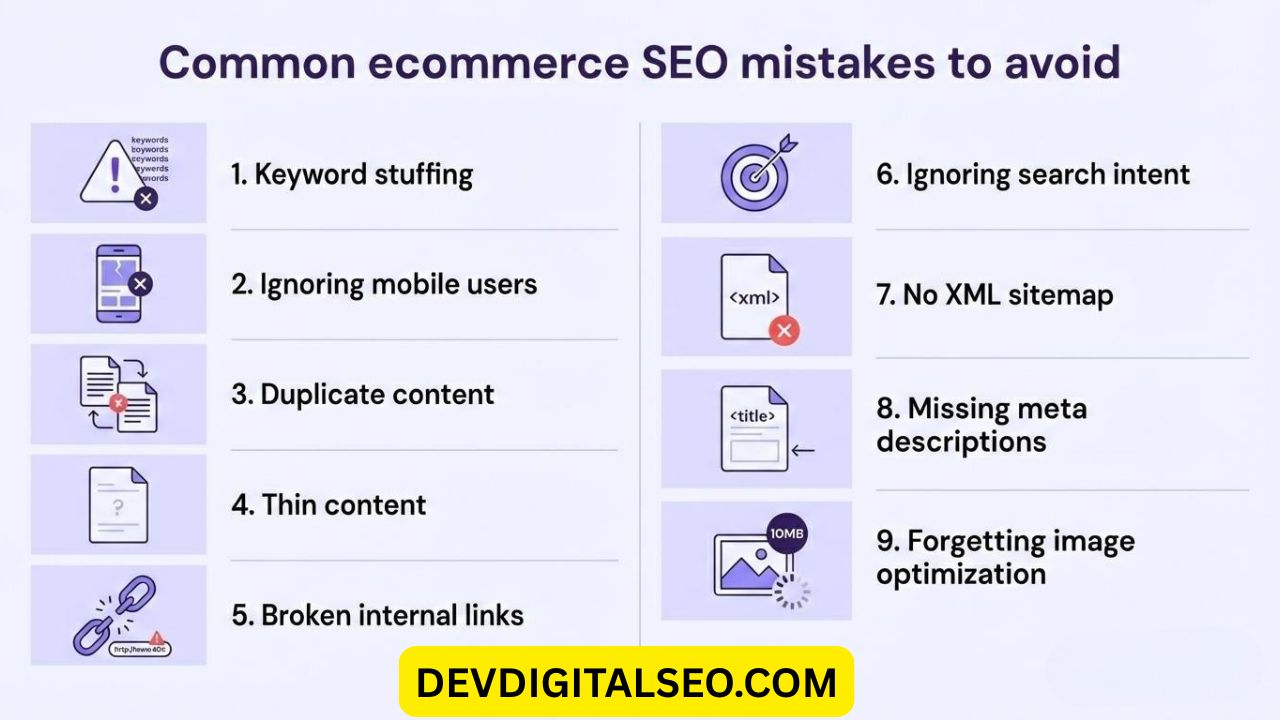
Starting an online store is one thing, but making it visible on Google is another level altogether. New store owners often get busy uploading products and creating ads while overlooking basic SEO fundamentals. Ignoring these can lead to serious E-commerce SEO mistakes that harm your growth. Even minor errors can impact your rankings. Here, we will discuss key E-commerce SEO mistakes that beginners must avoid.

1. Ignoring Keyword Research

One of the major Online store SEO mistakes is not conducting proper keyword research. Most online store owners simply do not bother to research what their customers might be looking for, while others do not bother to use tools to do so. If you do not use proper keywords, your products may not even show up in search results.

2. Poor Product Page Optimization

Another major E-commerce SEO Mistakes is not optimizing your product pages. Just adding your product name and price is not enough. There is much more to do.

  • Your product pages should have:
  • Optimized title tags
  • Product descriptions
  • Meta descriptions
  • Alt attributes
  • Proper internal links

3. Utilizing Duplicate Content

A common online store SEO mistake is relying on duplicate content. Many new retailers copy product information instead of creating their own.

This strategy fails to deliver results and can hurt your website’s performance.

By writing unique and valuable product descriptions, you can strengthen your SEO and increase conversion rates.

4. Lack of Technical SEO

Technical SEO is often overlooked by novice online retailers and is therefore included in this list of E-commerce SEO Mistakes.

Some of the most common technical issues faced by online retailers include:

  • Slow speed of your online business
  • Presence of broken links
  • No XML sitemap
  • Poor URL structure
  • No mobile-friendliness

Search engines favor online retailers with high speeds and user-friendliness.

5. Weak Site Structure

Improper website structure is another frequent online store SEO mistake made by beginners.

For better usability and improved search rankings, your site should have a clean and logical setup.

This includes a well-planned category hierarchy and a solid internal linking system.

6. Ignoring Mobile Optimization

Today’s online shopper uses a mobile device most often to browse and search online. Therefore, this is one of the most important Online store SEO mistakes that need correction.

Your website must be optimized for mobile devices by ensuring that it:

  • Is loaded quickly
  • Has a responsive design
  • Uses clear font and font sizes
  • Has a simple navigation system

7. Not Optimizing Category Pages

Beginners in online marketing often optimize product pages and forget about category pages. This is one of the most important yet hidden E-commerce SEO Mistakes.

Category pages must be optimized by including:

  • Keyword-rich headings
  • Some content
  • Internal links to product pages
  • Meta tags

These types of pages have a high probability of ranking for more general business-related keywords.

8. Ignoring Image Optimization

Large images that have not been compressed slow down your online business’s loading speed. This is one of the most important yet avoidable E-commerce SEO Mistakes.

Image optimization must be done by compressing images and using:

  • Keyword-rich alt text
  • Descriptive file names

9. Lack of Customer Reviews

User-generated content increases trust and boosts SEO ranking. Lack of attention to customer reviews is one of the strategic E-commerce SEO Mistakes that beginners often make.

Customer reviews provide content variety to product content and increase click-through rates in search engine results.

10. No Content Marketing Strategy

E-commerce sites that rely only on product content are making one of the biggest E-commerce SEO Mistakes.

Well-written content increases backlinks and authority in due course.


11. Poor Internal Linking

Poor internal linking is one of the most overlooked Online store SEO mistakes.

Internal linking increases crawl efficiency by linking related content within your site.

12. Not Tracking Performance

One of the most dangerous Online store SEO mistakes is not monitoring analytics. Without this, it’s impossible to get better.

Use tools such as:

  • Google Analytics
  • Google Search Console

These tools will be helpful in monitoring traffic and indexing issues.

Final Thoughts

By avoiding these E-commerce SEO Mistakes, your online business will be able to rank better in search engines. Many people starting out in online business may not take SEO as a serious aspect of online business. However, by constantly working on your online business’s optimization, you will be able to achieve long-term success.

By avoiding these Online store SEO mistakes, your online business will be able to compete well in the online marketplace.

If you need, I will be able to create a meta description and SEO title variations for this article.

CategoriesMarketing SEO Web Development

Top Google My Business SEO Mistakes & Fixes: Local SEO

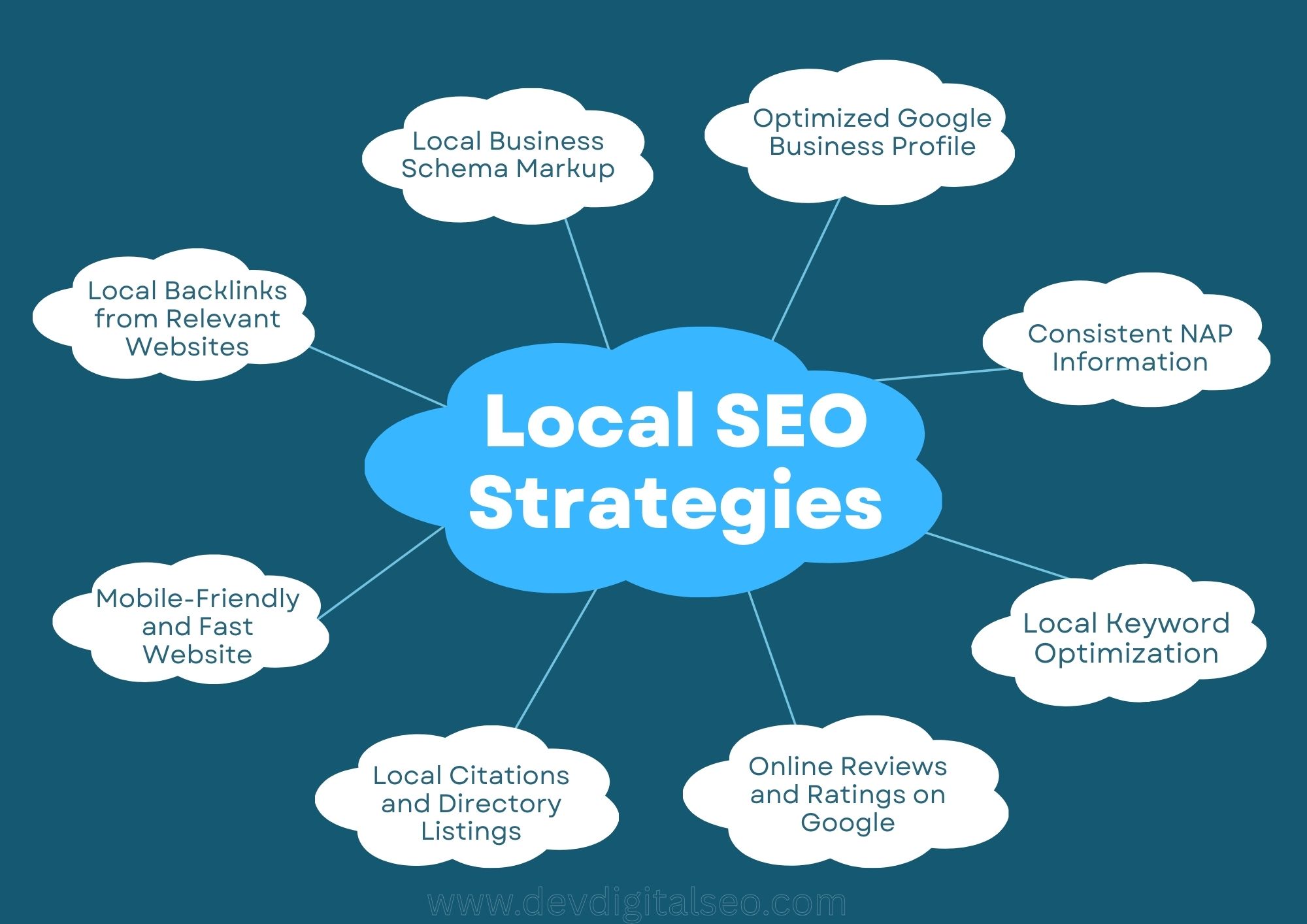
To get your business to show up in Google Maps and local search results, you need to optimize your Google Business Profile (previously Google My Business). A lot of businesses spend money on ads and websites, but they don’t fix little faults in their profiles that hurt their exposure without their knowing it. These blunders have a direct impact on your Local SEO, which decides if clients find you or your competition.

We will talk about the most common problems people make with their Google Business Profiles and how to repair them in this article.

1. Incomplete Business Profile Information

Several businesses neglect key information fields including descriptions, service listings, business hours, characteristics, and categories. Google rewards detailed and well-maintained profiles in Local SEO results. An incomplete profile suggests a lack of professionalism and proper setup.

✅ The Fix:

  • Fill in every section available.
  • Write a keyword-rich business description.
  • Add business hours (including holiday hours).
  • Add services and products clearly.
  • Select the most relevant primary and secondary categories.

A well-optimized listing improves discoverability and boosts customer confidence.

2. Wrong Primary Category Selection

Using an inaccurate or overly general primary classification.

Such as selecting “Marketing Agency” rather than “SEO Agency” if SEO is your main expertise.

The Fix: 

  • Choose the most specific primary category.
  • Add relevant secondary categories.
  • Research competitors ranking above you.

Choosing a category is one of the most important ranking factors in Local SEO.


3. Inconsistent NAP Information

Name, Address, and Phone Number are what NAP stands for.

❌ The Mistake: 

The contact information on the website is different from the other places.

  • Directories
  • Profiles on social media
  • Profile for Google Business

Google gets confused by inconsistent data, which makes people less likely to trust it.

The Fix:

Make sure NAP is the same everywhere.

  • Refresh old directories.
  • Always use the same format.

Being consistent makes your Local SEO more powerful.

4. Ignoring Customer Reviews

❌ The Mistake:

Not asking for reviews or not addressing to them.

One of the most important things for Local SEO is reviews.

The Fix:

  • Get reviews from happy consumers.
  • Answer every review,both positive and negative.
  • Use keywords in your answers in a natural way.

For example, “Thank you for choosing our digital marketing services in Delhi.”

Managing reviews actively creates trust and gets people more involved.

5. Using low-quality photos

❌ The Mistake:

Not uploading any photos or using low-quality ones.

Profiles with pictures attract a lot more clicks and requests for directions.

The Fix:

  • Upload professional photos.
  • Add team photos.
  • Add office images.
  • Add before-and-after results (if applicable)..

Regularly updated pictures make people more interested and help Local SEO work better.

6. Keyword Stuffing in Business Name

❌ The Mistake:

Adding more keywords, like: “ABC Digital Marketing | SEO Expert | Best Agency | Google Ads Specialist,”

This goes against Google’s rules and could get you banned.

The Fix: 

Only use your legal business name.

Improve keywords in:

  • Description
  • Services part
  • Posts
  • Website content

Long-term Local SEO stability is better with clean branding.

7. Not Posting Regular Updates

❌ The Mistake:

Missing to Google Posts.

You can share offers on Google Posts.

  • Offers
  • Updates
  • Blogs
  • Events
  • Announcements

Outdated profiles can harm online visibility and engagement.

The Fix:

Post once a week: 

  • Service updates
  • Case studies
  • Promotions
  • Blog highlights

Posting regularly shows that you are active and helps with Local SEO engagement.

8. Ignoring Q&A Section

❌ The Mistake:

Not answering questions in the Q&A portion.

People can ask and answer questions about your business.

The Fix:

  • Add your own FAQs.
  • Answer questions professionally.
  • Monitor regularly.

Optimized Q&A makes keywords more relevant and makes Local SEO more visible.

9. Lack of technical SEO

Your Google Business Profile has a link to your website.

❌ The Error:

Sending traffic to: 

  • Slow websites
  • Non-mobile-friendly pages
  • Pages without clear CTAs

This makes the bounce rate go up and the ranking potential go down.

✅ The Fix:

  • Optimize website speed.
  • Ensure mobile responsiveness.
  • Add clear contact options.
  • Create location-specific landing pages.

Strong website optimization helps Local SEO flourish as a whole.

10. Not Tracking Performance

❌ The Mistake

Not looking at the insights data.

You can keep track of:

  • Profile views
  • Calls
  • Direction requests
  • Website clicks

You can’t improve your plan without tracking.

The Fix

  • Identify which posts drive the most engagement.
  • Track keyword rankings consistently..
  • Regularly monitor keyword ranking fluctuations.

Making decisions based on data always leads to better Local SEO outcomes.

Bonus Mistake: Not Making Local Backlinks

You won’t rank high even if your profile is great if you don’t have authority.

❌ The Mistake

Not creating links in your area.

The Fix

Get your name in local directories.

  • Get links back from local bloggers.
  • Work together with businesses in your area.
  • Help pay for events in your area.

Authority signals make your Local SEO stronger.

Last Thoughts

Your Google Business Profile is more than simply a listing; it’s a great way to get leads. Small mistakes might make you less visible, get fewer calls, and lose business.

In short:

  • Fill out your profile completely.
  • Choose the right categories.
  • Keep NAP consistent.
  • Get reviews and answer them.
  • Post regularly.
  • Avoid keyword stuffing.
  • Optimize your website.
  • Build local authority.

Your Google Business Profile is the most important part of your Local SEO plan. If you do it right, it will help you get to the top of local search results.

If you work on correcting these problems, you’ll not only move up in the rankings, but you’ll also get more calls, leads, and genuine company growth.

CategoriesDesign Marketing SEO Web Development

Common Local SEO Mistakes Small Businesses Make

Local SEO is a powerful tool that helps small businesses get better results from their online marketing. No matter if you own a bakery, dental office, coaching center, or marketing agency, people are constantly searching for nearby services. If your business is missing from local search listings, you are losing customers to competitors.

Unfortunately, many owners make critical Local SEO Mistakes without even realizing it, which affects their Google rankings. In this article, we highlighted the most common Local SEO Mistakes and shared practical ways to fix them to boost your traffic, leads, and online presence.

1. Ignoring Google Business Profile Best Practices

Failing to manage and optimize a Google Business Profile properly is one of the major Local SEO Mistakes small businesses commit. Either the profile remains unclaimed or it is only partially completed, limiting its effectiveness.

  • Exact business name
  • Accurate contact information (address and phone)
  • Updated working hours
  • High-resolution images
  • Proper category selection
  • Well-written service details

One of the worst Local SEO mistakes is having an inadequate or out-of-date profile. This is because Google uses this information a lot to rank your business locally.

2. Incorrect or Inconsistent NAP Information

In local SEO, NAP means Name, Address, and Phone number. One of the serious Local SEO Mistakes businesses make is publishing mismatched NAP details across websites, directories, and social media accounts.

For instance, if your business address is written differently in multiple places, Google may not trust the information fully. This inconsistency weakens your authority and affects rankings.

To fix this Local SEO Mistakes problem, maintain identical business details on every platform.

3. Weak Local Keyword Strategy

Small businesses often target generic keywords while overlooking geo-targeted phrases. This oversight is among the frequent Local SEO Mistakes that prevent them from ranking in local results.

For instance:

  • Instead of “digital marketing services,” say “digital marketing services in Southampton.”
  • Use “SEO agency in Mumbai” instead of “SEO agency.”

One of the most important Local SEO Mistakes that keeps your website from showing up in local searches is not incorporating city, area, or region names in your content.

4. Skipping Local Landing Pages

If you service more than one area, you need separate landing pages for each one. Making only one generic service page is one of the major Local SEO Mistakes that keeps you from growing.

For instance:

  • /seo-services-london
  • /seo-services-manchester
  • /seo-services-birmingham

If you don’t have pages for each city, you’re making local SEO Mistakes that make it less likely that you’ll rank well in other locations.

5. Neglecting Customer Feedback

Reviews on the internet are very important for local rankings. Not asking clients to submit reviews is one of the worst things you can do for Local SEO.

Google thinks about:

Look at the number of reviews:

  • Review quantity
  • Review quality
  • Review frequency
  • Owner responses

One of the worst things you can do for your local SEO is to ignore reviews, especially if your competitors are actively collecting and responding to them.

Always ask pleased customers for evaluations and reply professionally to both good and bad feedback.

6. Ignoring Mobile-Friendly Design

Most searches for things in your area are done on mobile devices. You are making big Local SEO mistakes if your website is slow or not mobile-friendly.

Your website needs to:

  • Load in less than three seconds
  • Be able to respond on all devices
  • Make it easy to get around
  • Add buttons that let people call you

One of the most prevalent Local SEO Mistakes that turns away potential clients is a bad mobile experience.

7. Poor Local Content Strategy

Publishing general blog posts without a local angle is another example of Local SEO Mistakes.

  • Instead of saying “Advantages of Hiring an SEO Agency,”
  • “Why SEO Services Are Important for Small Businesses in Southampton”

Localized content helps you avoid Local SEO Mistakes that come from getting traffic that isn’t appropriate to your area.

8. Weak Local Citation Strategy

Local citations are when your business is listed on directories and listing sites. One of the most common Local SEO mistakes small businesses make is not building citations.

You should put your business on:

Directories in your area

  • Directories for specific industries
  • Websites for Chambers of Commerce
  • Listing sites you can trust

If you don’t use citations, you’re making the same Local SEO Mistakes that hurt your local authority.

9. Weak Local Backlink Profiles

Getting links from local websites makes you look more trustworthy. A lot of firms just pay attention to general backlinks, which is one of the most common Local SEO mistakes.

Get links from:

  • Local blogs
  • Websites for local news
  • Groups in the community
  • Pages for sponsoring events

Not creating links in your area is one of the Local SEO Mistakes that might slow down your development and keep you from growing.

10. Failing to Use Structured Data

Schema markup makes it easier for search engines to grasp information about your business. One of the technical Local SEO Mistakes is not paying attention to structured data.

Adding local business schema can make things better:

  • Search visibility
  • Rich snippets
  • Rates of click-through

This is one of the quiet but important Local SEO Mistakes that many small businesses make.

11. Confusing Site Navigation

You are making structural Local SEO mistakes if your website is hard to use or doesn’t have clear service pages.

Ensure:

  • Clear service groups
  • Simple to use
  • Linking correctly throughout the site
  • Optimized meta descriptions and title tags

A disorganized website structure is one of the Local SEO Mistakes that may be avoided and that hurts both users and rankings.

12. Ignoring Local SEO Analytics

Another big problem with Local SEO is not keeping track of results. You can’t get better if you don’t keep an eye on performance.

Use tools like these:

  • Google Analytics
  • Google Search Console

Tracking helps you find and repair Local SEO mistakes before they do damage that lasts a long time.

Conclusion: Local SEO Mistake

Local SEO has the power to reshape a small business by boosting discoverability, leads, and revenue, yet ignoring even one Local SEO Mistake can limit results, especially when problems such as incomplete Google Business Profile optimization, inconsistent NAP information, weak mobile usability, poor content strategy, or lack of backlinks exist; by identifying and correcting every Local SEO Mistake step by step, you improve rankings, enhance credibility, and create sustainable business growth.

CategoriesWeb Development Design SEO UI/UX Design

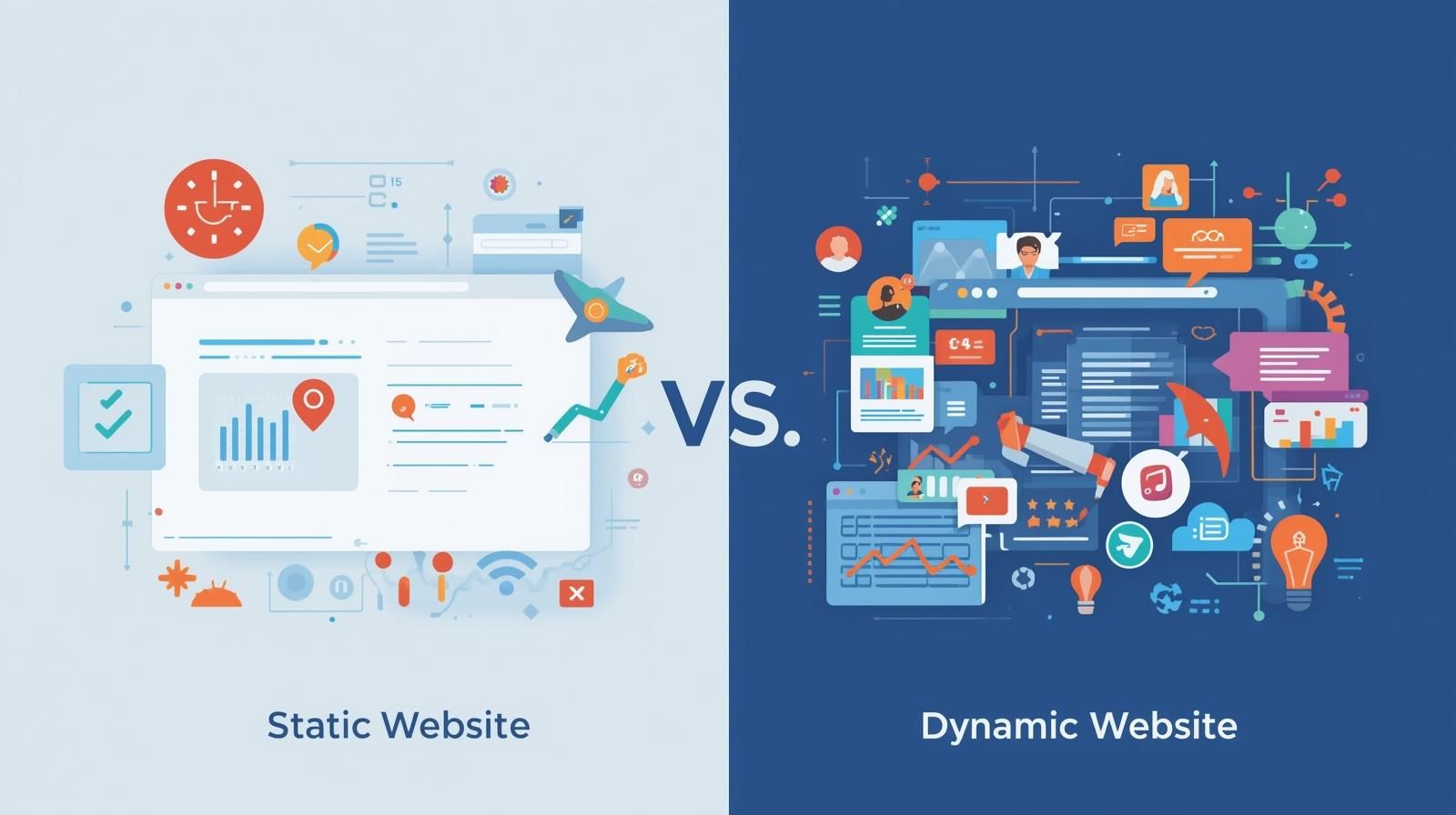
The Main Characteristics of Static and Dynamic Websites

India is undergoing rapid digital growth; here an online presence is now essential, not optional. Web developers, startup founders, bloggers, small business owners, and aspiring IT professionals frequently seek clarity on the static websites and dynamic websites difference and which solution fits their requirements best.

Understanding the static website vs dynamic website difference is crucial for anyone building a website in today’s competitive digital landscape. This article explains the core characteristics of static and dynamic websites in easy-to-understand terms, using practical examples relevant to Indian users.

After reading this article, you will clearly understand the differences between static websites and dynamic websites, along with their benefits, limitations, and practical use cases, making it easier to choose the right website type for your future goals.

What Is a Static Website?

A static website is the most basic type of website. A static website consists of static web pages created using the web design coding languages of HTML, CSS, and, sometimes, JavaScript. Each page is saved as a separate file on the web server, and the page does not change, no matter how many times a single visitor refreshes the page.

When comparing static websites and dynamic websites, static websites are usually the first websites that beginner web developers create.

Features of Static Websites  

  • Fixed Content  

The content is the same no matter when the website is visited. Only when the developer makes changes to the code is the website able to be altered. For instance, a basic portfolio website for a freelancer in India lists their skills and contact information.  

  • Basic Technology Stack  

Static websites are built with only HTML, CSS, and some JavaScript. There is no storage system needed.  

  • Fast Loading Speed

Static websites have no back-end processing, therefore loading is at an optimal level. This is even true for websites with back-end processing when using slower data connections in places such as India.  

  • Low Hosting Costs  

Static websites are cheaper to host, thus are ideal for sites that are hosted on free or shared hosting sites.  

  • High Security  

With fewer elements, there are fewer points of weakness. This is especially true when considering the differences between a static website and a dynamic website.  

What Is a Dynamic Website?  

Websites that are more advanced in comparison to static websites are the ones able to alter and adjust content based on time, location, user interactions, or data recorded within databases. Websites that are known to be in this category are news sites, social media sites, and e-commerce sites.  

Key Traits of Dynamic Websites  

  • Database-Driven Content 

Database systems such as MySQL or MongoDB are used to hold content that is then pulled in a dynamic way.  

  • Server-Side Programming  

Languages such as PHP, Python, Node.js, or ASP.NET are the preferred choices for content generation.

  • User Engagement

User engagement features such as log-in systems, comments, dashboards, and real-time updates.

  • Customized Engagement

Users can have customized viewing preferences, as is the case with online learning platforms, which are widely adopted in India.

  • Scalability

Dynamic websites are flexible and can easily expand by adding more pages and features rather than by rewriting the code.

Key Differences Between Static and Dynamic Websites

The differences between static websites and dynamic websites become clear when we look at them side by side.

1. Content Management

  • Static Website

Manual intervention in the code determines when the content is changed.

  • Dynamic Website

Admin panels or Content Management Systems (CMS) enable content updates.

This is often a key factor in the static website vs dynamic website conversation.

2. Development Difficulty

  • Static Website

Simple to build and best suited for beginners, such as students in India, who are starting to learn web development.

  • Dynamic Website

Backend knowledge and the understanding of databases and server-side logic are required.

3. Speed

  • Static Website

Quicker loading speeds.

  • Dynamic Website

There are slight delays because of server-side processing, although current improvements are beneficial.

In the static website vs dynamic website conversation, speed is usually in favor of static websites.

4. Financial Considerations

  • Static Website

Development and maintenance costs are low.

  • Dynamic Website

Development time, hosting, and maintenance costs are high.

This difference in cost is significant for small businesses in India.

5. SEO Capabilities

  • Static Website:  

Good SEO performance is provided if the content is optimized.  

  • Dynamic Website:  

Strong SEO potential with the use of automation and content scaling.  

For SEO, the performance of static website vs dynamic website is a differentiating factor.

Use Cases in the Indian Context

To summarize the information on static website vs dynamic website, let us analyze a few practical use cases.

When A Static Website Is Ideal

  • Personal portfolio for freshers
  • Small business landing pages
  • Local service providers (electricians/tutors/consultants)
  • Event promotion pages

To save money, many of India’s new startups use static websites, thereby making static websites and dynamic websites the more practical choice.

When A Dynamic Website Is Ideal

  • E-commerce
  • Job portals
  • Online education
  • News and blogging

Large dynamic websites serve the Indian market due to the versatility they offer.

Advantages of Static Websites

When comparing static websites and dynamic websites, the advantages of static websites include:  

  • Reduced development costs
  • Increased security
  • Reduced costs
  • Faster performance
  • Simpler development
  • Simplified deployment 

For beginners and small businesses in India, these advantages make static websites a good choice.

Static Websites Limitations

  • No real-time updates
  • Manual content changes are needed to update the website
  • Limited interactivity on the website  

Because of the long list of disadvantages with static websites, most developers turn towards dynamic build solutions. 

Dynamic websites Limitations

  • More expensive to develop
  • Needs regular updates and upkeep
  • Higher risk of security breaches if not managed correctly

These points should be carefully evaluated when comparing static and dynamic websites.

Static Website vs Dynamic Website for Career Growth

An increasing number of students in India aspiring to enter the IT sector need to understand the differences between static websites and dynamic websites as a core part of their learning.

  • Start with static websites to build a strong foundation in HTML, CSS, and basic JavaScript for front-end web development.
  • Move to dynamic websites to gain skills in backend programming, databases, and scalable frameworks.

This strategy helps individuals make informed decisions in India’s competitive job market.

Which One Should You Choose?

When comparing static websites vs. dynamic websites, the final choice depends on:

  • Website objectives and goals
  • Project budget
  • Must-have features
  • Level of technical knowledge
  • Goals for long-term expansion

For a fast and secure online presence, go with a static website.

If your project requires advanced features and scalability, choosing a dynamic website is the smarter decision.

What Defines A High Quality SEO Service

Conclusion

Before entering into any technical domain, it is important to understand the core concepts of static and dynamic websites. The comparison between static websites and dynamic websites is not about which is better, but instead, which one is better for you.  With the rapid digital advancement of the country, both static and dynamic websites are equally important for the digital ecosystem. Understanding the differences will help you make better and informed technical and career-related decisions. 

The knowledge of dynamic and static websites will set you apart in the digital world, whether you are a student, a businessman, or a developing aspirant.

Proudly powered by Themelexus.com